Insight

Thinking about switching from Sendbird or comparing Sendbird alternatives before you commit to a bigger rollout? You are not alone. Sendbird has expanded beyond chat APIs into AI Agent for customer support that is built to automate conversations across messaging channels. But once support volume grows, teams often want a different mix of helpdesk depth, pricing model, governance/controls, and omnichannel coverage.
Gartner reported that 91% of customer service leaders feel pressure to implement AI in 2026. This article breaks down the top 9 Sendbird alternatives for AI customer support so you can pick the tool that matches how your support actually runs.
What is Sendbird?
Sendbird is a customer conversation platform that started with messaging APIs and then expanded into support tooling and now an AI Agent to automate customer conversations. The tool helps you run chat based support at scale, especially when you need messaging embedded in your product or spread across multiple channels.
Positive and Negative Sendbird Reviews (REAL Customer Feedback)
After reading tens of reviews on third party review sites like G2, Capterra, Trustpilot, and other platforms, I have noticed that people have mixed reviews about the tool . Like any software, Sendbird has its strengths but it also comes with trade offs that may not work for every practice. Here is what people are saying:
Note: All the reviews are from 2026.
✅ Positive Feedback
Sendbird helped us get our Chat service off the ground quickly and without having to develop a ton of backend overhead so that we could evaluate the feature offering for our users. This saved us a ton of time developing a custom solution simply to evaluate the market fit. But unfortunately, we found that market fit didn't justify the cost of Sendbird in the long term. - Source (G2)
❌ Negative Feedback
Removes features after a few months, so buyer beware. Whatever you create may be taken away at any time. We had an entire system under their AI chatbot functionality and they decided to discontinue it in favor of a platform 5x the price. Sendbird is not feasible for medium size businesses. - Source (G2)
They replaced previous in-game chat with sendbird several months ago. They are still fixing serious problems, it causes the whole site to hog CPU, lag horribly and it still does not have all features of old chat. - Source (Capterra)
Cost and pricing can be steep for large-scale or enterprise applications. - Source (G2)

Why People Look for Sendbird Alternatives
Sendbird is a top choice when your support experience is messaging first. But teams usually search for alternatives when they realize they don’t just need chat, they need a full support operating system around it. This includes workflows, reporting, governance and predictable costs. The most common reasons why people switching from Sendbird are:
They want helpdesk-first depth: Once tickets, SLAs, routing rules, and reporting become important, teams often prefer Zendesk/Salesforce-style systems where chat is one channel inside a broader support stack.
They need stronger AI governance and safer fallbacks: Sendbird’s AI roadmap is centered on AI Agent but many orgs need stricter controls, approved answers, audit trails, role-based controls, and conservative escalation when the AI isn’t sure.
Omnichannel consistency becomes painful.: If conversations live across in-app, web, email, and social, teams often want one unified inbox and reporting layer otherwise context gets lost and customers repeat themselves.
They want actions, not just answers: Answering “how do I update my plan?” is easy. Actually updating it is what pushes teams toward platforms built for workflows and authenticated actions.
Side by Side Comparison of Sendbird Alternatives
Tool | Best for | Where it wins | Pricing |
MeetRaya | Small teams needing a fast website AI agent | Quick setup, simple widget, clear tiers | Public tiers + message credits |
Zendesk AI Agents | Helpdesk-first orgs | AI inside tickets/queues, mature reporting | Outcome-based “automated resolutions” |
Intercom Fin | Chat-first SaaS support | AI agent inside Intercom inbox + workflows | Outcome-based ($/outcome) |
Ada | Enterprise omnichannel automation | Governance + automation across channels at scale | Custom / enterprise |
Forethought | Ticket-heavy support ops | Strong triage/routing + agent assist | Custom / PoC-led |
Freshdesk / Freddy AI | SMB/mid-market helpdesk | Bundled helpdesk + AI assist/self-service | Plan + AI packaging/add-ons |
Gorgias AI | Ecommerce/Shopify support | Commerce workflows (orders/returns/shipping) | Plan + usage + AI automation fees |
Help Scout (AI) | Smaller email-first teams | Simple shared inbox + docs + AI assist | Public tiers |
Salesforce Service Cloud (Agentforce/Einstein) | CRM-native enterprise support | Deep CRM context + governance + complex workflows | Enterprise licensing + usage models |
Top 9 Sendbird Alternatives for AI Customer Support
1.MeetRaya | MeetRaya vs Sendbird
What it does:
MeetRaya is a website AI support agent you train on your website URL or FAQ docs, then embed as a widget so it can answer repetitive questions 24/7.
Best for:
Small teams that want quick FAQ deflection on their site.
Businesses that want the bot to match their brand voice and look like their site.
Teams that are comparing Sendbird alternatives because they don’t need heavy messaging infrastructure, just a fast web agent.
Key features:
Fast setup: drop a URL/docs, test and fine-tune and embed with a single line of code.
Built for your brand: tone/voice controls and one-click styling.
Unlimited updates: retrain/refine any time.
Lead capture: can prompt for name/contact/context during chats.
Pricing:
MeetRaya lists four tiers publicly:
Free $0/mo: 100 message credits, 1 agent, 500 KB/agent.
Lite $25/mo: 1,000 credits, 1 agent, 10 MB/agent.
Core $99/mo: 5,000 credits, 2 agents, 20 MB/agent.
Pro $299/mo: 20,000 credits, 5 agents, 40 MB/agent.
Pros
Very fast to launch. This is good for teams that want a Sendbird alternative mainly for website support.
Clear, simple pricing tiers.
Strong brand/visual controls so it doesn’t feel like a generic bot.
Cons
The tool is not built for enterprise users yet.
2. Zendesk AI Agents | Zendesk AI Agents vs Sendbird
What it does:
Zendesk AI Agents are AI support agents built directly into Zendesk. Instead of acting like a standalone in-app chat layer, they’re designed to resolve customer issues inside your existing support workflows, tickets, routing, macros, SLAs, and reporting so automation doesn’t live in a separate silo.
Best for:
Teams that are outgrowing messaging-first support and want a helpdesk-first system where AI is part of the same ticketing and reporting engine.
Key features:
Outcome-based automation: Zendesk uses Automated Resolutions to measure when the AI truly resolved an issue without human involvement.
Multiple channel coverage: AI agents can be configured for messaging, email, web forms, and API use cases.
Controls to avoid runaway usage: Zendesk lets you manage allocations and can pause AI features when you hit your limit.
Pricing:
N/A
REAL Customer Feedback:
G2 (Zendesk for Customer Service): Large review volume. Common praise includes scalability, automation, and omnichannel ticket management; common negatives include pricing complexity and admin overhead once workflows get complex. - Source (G2)
Gartner Peer Insights (Zendesk for Customer Service): Many verified reviews useful for “enterprise rollout + ongoing ops” perspectives. - Source (Gartner)
Pros:
Great fit if you want AI to live inside a mature helpdesk (tickets + routing + reporting), not as a separate messaging layer.
Clear operational metric that maps cleanly to ROI conversations.
Cons:
If your main requirement is deep embedded in-app chat infrastructure, Zendesk is a different approach. You are choosing a helpdesk stack, not a messaging SDK.
Like any outcome based model, costs can scale quickly if you aggressively automate so forecasting matters.

3. Fin | Fin vs Sendbird
What it does:
Intercom Fin is an AI customer support agent that answers questions using your support content and can hand off to humans in Intercom when it can’t confidently resolve an issue. Intercom tracks usage via outcomes so you are generally charged once per conversation when Fin delivers a successful outcome.
Best for:
SaaS teams that want an AI agent tightly integrated with a modern support inbox, not just a standalone in-app chat layer.
Key features:
Content library: centralized place to manage what Fin learns from.
Audience targeting: target content/guidance to specific customer segments.
Outcome based usage controls: Intercom notes you can set usage reminders and hard limits to control how many outcomes Fin delivers.
Pricing:
Fin is priced per outcome that is commonly referenced as $0.99 per outcome, with details about base plan included resolutions depending on your setup.
REAL Customer Feedback:
Users frequently praise automation and efficiency, while common complaints include missing/granular controls, AI limitations, and that it can feel expensive with upsells. - Source (G2)
Pros:
Strong support-ops fit if you want AI embedded into a helpdesk-style workflow, not just messaging infrastructure.
Clear ROI conversation: the unit you pay for is tied to successful outcomes, and Intercom provides limit controls.
Cons:
Costs can scale quickly if volume spikes.
Some reviewers want more granular control and note AI nuance/coverage limits depending on their use case.

4. Ada | Ada vs Sendbird
What it does:
Ada is an AI customer service automation platform built to run an AI agent across multiple support channels, not just web chat. It’s positioned for teams that want higher containment with stronger governance and operational controls than a lightweight bot.
Best for:
Mid-market and enterprise support teams that want to automate a meaningful share of conversations across channels and treat AI rollout like a support ops program.
Key features:
Omnichannel automation: Ada is designed to deploy AI support experiences across multiple channels.
Enterprise governance and security posture: Ada highlights enterprise-grade security and reliability practices on its platform materials.
Clear pricing-model thinking: Ada publishes guidance on how AI agent pricing typically works , which helps when you are forecasting costs at scale.
Pricing:
N/A
REAL Customer Feedback:
Capterra: Ada shows a strong rating (i.e 4.7/5 from 15 reviews) with reviewers discussing usability and support experience. - Source (Capterra)
G2: Ada has an active review footprint, often described as enterprise-focused automation. - Source (G2)
Pros:
Strong choice when you need omnichannel automation and governance.
Good fit for organizations that want to measure and scale containment beyond basic Q&A.
Cons:
Heavier rollout than lightweight tools.
Custom pricing means you’ll need to model expected volume carefully to avoid surprises.
5. Forethought | Forethought vs Sendbird
What it does:
Forethought is an AI platform for customer support built to automate the full support lifecycle, not just chat replies. It’s commonly used to deflect repetitive questions, triage and route tickets, and assist agents with suggested responses so issues get resolved faster.
Best for:
Teams that are ticket-heavy and want AI to improve routing accuracy and time-to-resolution, not only run an in-app chat experience.
Key features:
AI triage and routing: classify/tag tickets and route them to the right queue/agent.
Agent assist: help agents draft better replies and respond faster with knowledge suggestions.
Deflection/self-service: reduce repetitive inquiries before they become tickets.
PoC-driven rollout: Forethought’s pricing flow emphasizes validating results through a proof of concept.
Pricing:
Its pricing usually depends on ticket volume, channels, number of agents, and which AI modules you enable.
REAL Customer Feedback:
G2: Forethought is rated around 4.3/5. Reviewers often highlight operational impact and time savings, while some note cost/value depends on usage and rollout complexity. - Source (G2)
Gartner Peer Insights: reviews discuss Forethought’s usefulness for workflow automation like routing and response suggestions. - Source (Gartner)
Pros
Strong alternative to Sendbird when your biggest pain is ticket ops.
Better fit for email/helpdesk-heavy orgs than a messaging SDK style platform.
Cons
Not a drop-in messaging layer like Sendbirdthis is support automation on top of a helpdesk motion.
Budgeting requires discovery since pricing is custom/PoC-led.

6. Freshdesk / Freshchat (Freddy AI) | Freshdesk / Freshchat (Freddy AI) vs Sendbird
What it does:
Freshworks’ Freddy AI adds AI-powered self-service and agent assist inside Freshdesk/Freshchat so you can automate common questions, summarize tickets, draft replies, and improve triage without building your own messaging infrastructure. Freshworks groups Freddy into Self-Service, Copilot, and Insights.
Best for:
SMB/mid-market support orgs that want quick impact from agent assist plus a path to self-service automation.
Key features:
Copilot: summarization, draft email generation, tone enhancer/rephrase, auto-triage, article suggestions, canned response suggestions, sentiment analysis, and more.
Self-service: bot conversation summarizer, auto-generated answers from suggested solution articles, intent detection in bot flows, QnA/FAQ bots.
Pricing:
N/A
REAL Customer Feedback:
Freshdesk has a very large review base with users often praising configurability and day-to-day workflow fit. - Source (G2)
Capterra shows thousands of verified reviews as well, with common praise around ease of use and value. - Source (Capterra)
Pros:
Strong support ops replacement if you are moving away from messaging infrastructure and want tickets, automation and AI in one place.
Freddy Copilot features can deliver fast wins without a long implementation cycle.
Cons:
Freddy features are plan dependent so you need to confirm what’s included vs add-on for your exact setup.
If your core requirement is deep embedded in-app chat infrastructure, Freshdesk is a different approach, you are choosing a helpdesk stack rather than a messaging SDK.

Gorgias AI Agent | Gorgias AI Agent vs Sendbird
What it does:
Gorgias is an ecommerce helpdesk with an AI Agent designed to automate repetitive ecommerce support conversations while keeping context from your store and integrations. It’s a very different approach from Sendbird: instead of giving you messaging infrastructure to embed, Gorgias gives you a support system and AI on top.
Best for:
Ecommerce brands where most tickets are WISMO, returns, delivery changes, subscription edits, and product FAQs.
Key features:
AI Agent automation on top of the helpdesk.
Billing clarity documentation: Gorgias documents how you are billed.
Ecommerce-first workflow fit: built around channels and data ecommerce teams actually use.
Pricing
Third-party summaries commonly frame AI Agent pricing around ~$0.90–$1.00 per AI-resolved conversation depending on billing terms.
REAL Customer Feedback
G2: Gorgias has a large review footprint; reviewers often praise its ecommerce workflow fit and channel centralization, while cons commonly mention feature/analytics gaps or complexity depending on team needs. - Source (G2)
Capterra: verified reviewers often highlight ease of handling ecommerce conversations and the value of a single inbox; some mention customization limits and UI learning curve. - Source (Capterra)
Pros
Best Sendbird alternative when you want commerce-native support automation.
Clear billing documentation makes forecasting easier than many AI tools that hide what counts as usage.
Cons
Pricing can be layered, so you need a real volume model especially for peak season.
Not ideal if your primary need is embedded in-app messaging infrastructure. It’s a helpdesk purchase, not a messaging SDK.
8. Help Scout (AI) | Help Scout (AI) vs Sendbird
What it does:
Help Scout is a customer support platform built around a shared inbox, Docs, and chat plus AI features aimed at helping agents respond faster and keep answers consistent. It’s a practical alternative when you don’t want messaging infrastructure; you want a clean support inbox with strong self-service.
Best for
Small to mid-size teams that want an easy-to-run support stack and don’t need a full messaging SDK layer like Sendbird.
Key features
Shared inbox with collaboration controls to prevent double-replies.
Docs knowledge base as a source of truth.
AI assistance aimed at agent productivity and response quality.
Pricing
N/A
REAL Customer Feedback
G2: Help Scout is rated 4.4/5 with hundreds of reviews; common praise includes ease of use and the shared inbox experience, while cons often mention wanting deeper automation/reporting as teams scale. - Source (G2)
Capterra: reviewers frequently highlight reliability and simplicity, with tradeoffs depending on how complex their support workflows are. - Source (Capterra)
Pros
Lower overhead than building a messaging-based support layer.
Transparent pricing makes budgeting simpler than many sales-led platforms.
Strong Docs knowledge base supports consistent answers and self-service.
Cons
If you need embedded in-app chat infrastructure, Help Scout is the wrong tool. It’s a helpdesk, not a messaging SDK.
AI is more assistive than fully autonomous agents across channels, compared to enterprise automation platforms.
9. Salesforce Service Cloud (Agentforce / Einstein) | Salesforce Service Cloud (Agentforce / Einstein) vs Sendbird
What it does:
Salesforce Service Cloud is an enterprise customer support platform with AI layers such as Agentforce and other Service AI capabilities. It’s built for teams that want AI working inside a CRM-native service stack so answers, automations, and escalations are tied to customer identity, entitlements, and full account history.
Best for:
Enterprise teams that want a Sendbird alternative because they need governance and CRM context more than embedded messaging infrastructure.
Key features
Consumption or license-based AI pricing options: Salesforce describes pricing models like Flex Credits / Conversations or per-user licensing for Agentforce, depending on how you deploy AI.
Customer Service AI packaging: Salesforce maintains a dedicated Customer Service AI pricing page to clarify what’s bundled vs add-on.
Enterprise service foundation: case workflows, omni-channel routing, and service analytics tied to CRM data (often the key reason enterprises choose Salesforce over chat-first tools).
Pricing
N/A
REAL Customer Feedback
G2 (Agentforce Service / Salesforce Service Cloud): reviewers consistently praise breadth and automation power, while common negatives include complexity and a steep learning curve. - Source (G2)
Gartner Peer Insights (Agentforce Service): enterprise-style reviews covering deployment, integrations, and ongoing support experience. - Source (Gartner)
Pros:
Strongest option on this list if you need CRM-native enterprise service with governance, identity, and complex workflows.
Cons:
Not a swap for Sendbird; it’s an enterprise platform decision with heavier setup and admin overhead.
If your primary need is embedded in-app chat infrastructure, Salesforce won’t replace that directly. You would typically pair it with messaging channels/integrations rather than use it as a messaging SDK.
Which Sendbird Alternative Is Right for You?
If you are replacing Sendbird, the right choice depends on what you are actually trying to fix. Messaging infrastructure, support workflows, or AI automation. Zendesk’s CX Trends says 74% of consumers expect 24/7 availability and 88% expect faster response times than a year ago. The best alternative could be MeetRaya or others mentioned above.
How to Switch from Sendbird to MeetRaya?
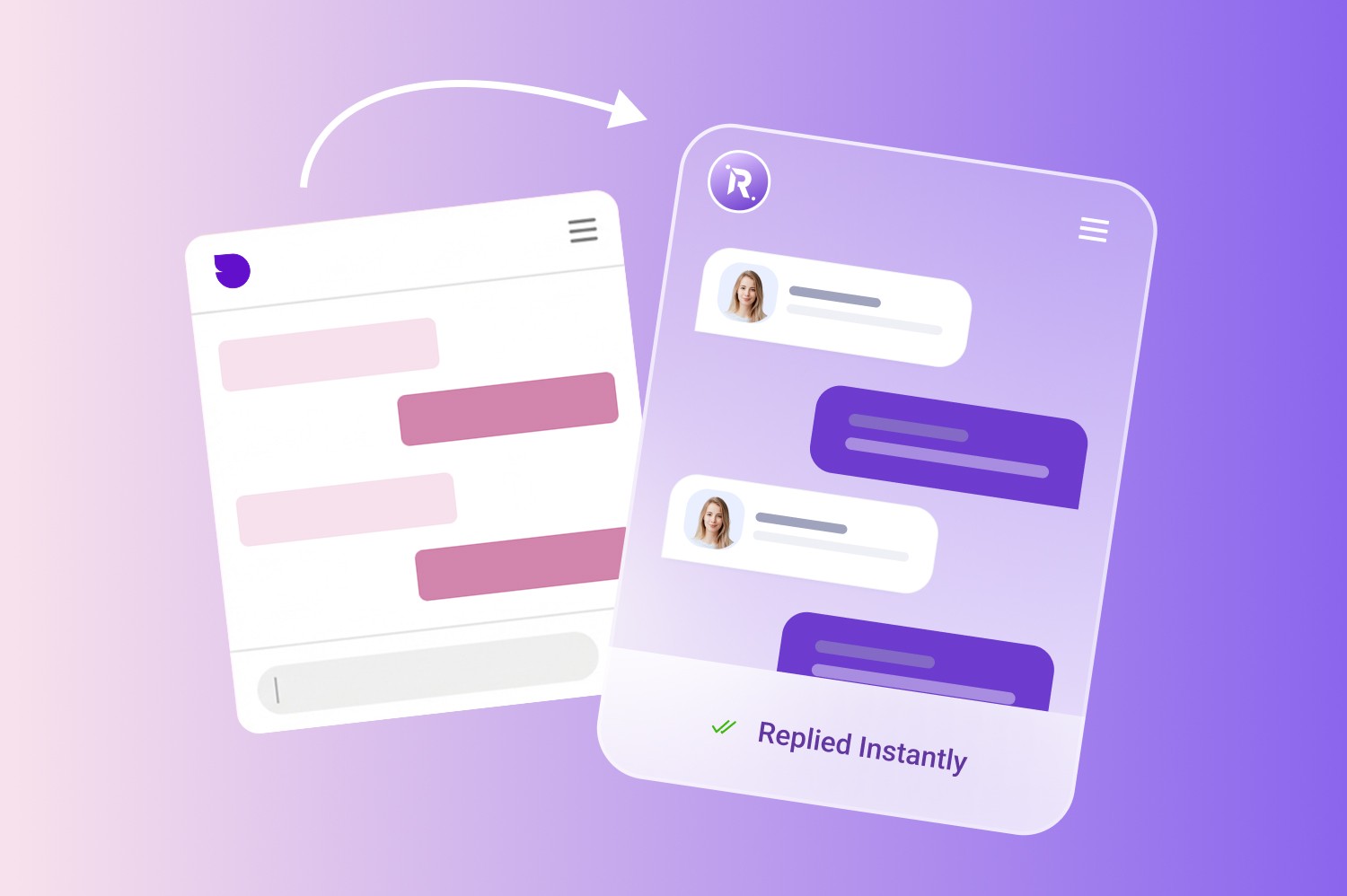
Switching from Sendbird to MeetRaya is simple. You don’t need a complex migration process to get started. All you need to do is, bring over the content you already use to answer customer questions such as your website pages, FAQs, help docs or product information. MeetRaya can then be set up as your AI support agent to start handling customer conversations, capturing leads and answering common questions.
You can also contact our team via live chat and we can help you review your current Sendbird setup so the transition feels smooth for your customers.
FAQs related to Sendbird Alternatives
Is Sendbird still a good choice in 2026?
Yes. If you need embedded in-app messaging at scale. But teams often add or replace pieces when they want deeper helpdesk ops or more governable AI.
Did Sendbird replace its AI chatbot with AI Agent?
Sendbird’s docs note the older AI chatbot product was discontinued, and point users to AI Agent instead (with AI Agent docs gated behind access request).
What’s the best Sendbird alternative for website-only support?
MeetRaya is the simplest if the goal is to answer common questions on the site.
Which tools are best for 24/7 expectations?
Any of the AI-agent options can help, but success comes from guardrails and knowledge quality. Zendesk’s 2026 report shows the demand, 24/7 expectations and faster response pressure are rising.
Set it up in 10 minutes, no developer needed.